View and Edit SQLite
Directly in VS Code
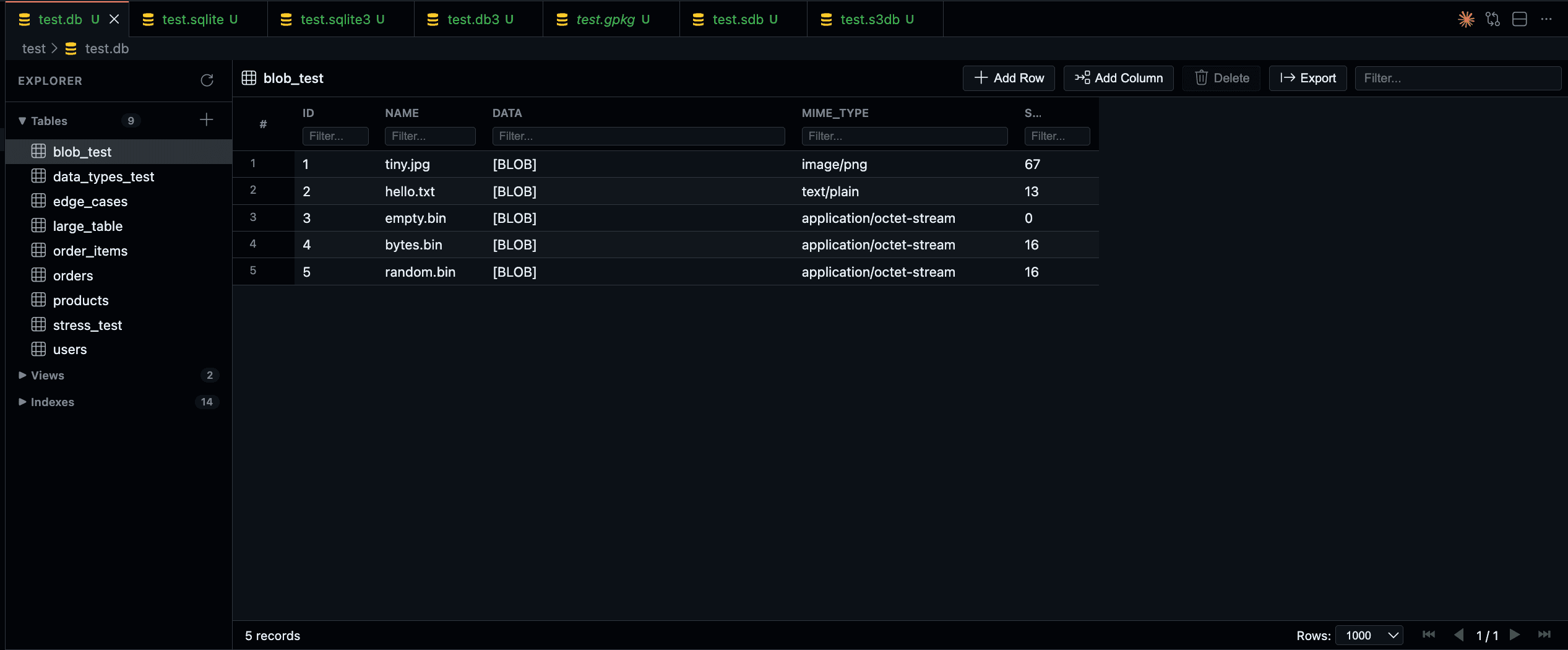
Browse, edit, and export — right from your editor
A complete database management experience built directly into your editor. No external tools required.
Schema Browser
Explore tables, views, and indexes in a collapsible sidebar tree. Jump to any table in two clicks.
Inline Editing
Double-click any cell to edit. Insert rows, delete records, and modify data directly in the table view.
Undo / Redo
Full edit history with Ctrl+Z and Ctrl+Y. Never worry about accidental changes again.
Virtualized Scrolling
Handle tables with thousands of rows smoothly. Pagination keeps large datasets manageable.
Cross-Platform
WebAssembly-powered for universal compatibility. Works in VS Code for Web, SSH, WSL, and containers.
Theme Integration
Automatically matches your VS Code color theme. Looks native in any environment.
Keyboard Navigation
Full keyboard support for power users. Navigate, edit, and manage data without touching your mouse.
Multiple Formats
Supports .sqlite, .db, .sqlite3, .db3, .sdb, .s3db, and GeoPackage (.gpkg) files.
Export Data
Export tables to CSV, JSON, or SQL. Stream large datasets directly to disk without memory limits.
Blob Inspector
Preview images, audio, video, and PDFs stored as BLOBs. Hex view for raw binary inspection.
See it in action
Hover over each demo to preview the feature.
Inline Editing
Double-click any cell to edit. Add new rows and delete existing ones with ease.
Pin Columns
Keep important columns visible while scrolling horizontally through wide tables.
Pin Rows
Pin rows to the top for easy reference while navigating through data.
Large Tables
Handle tables with thousands of rows smoothly with virtualized scrolling.
Get started in seconds
Install from the VS Code Marketplace or use the command line.
1VS Code Marketplace
The easiest way. Click the button below or search SQLite Explorer in VS Code Extensions.
2Command Line
Install directly from your terminal using the VS Code CLI.
code --install-extension zknpr.sqlite-explorerQuick Start
- 1Open any
.sqlite,.db, or.sqlite3file in VS Code - 2Browse tables in the sidebar and click to view data
- 3Double-click any cell to edit, press Enter to save
- 4Press
Ctrl+Sto save changes to disk